How Should Dashboard UI Design and 3D Modeling Work Together?
Summary: In digital twin and 3D visualization projects, the UI and model should be planned together around presentation goals, information hierarchy, camera views, data points and performance constraints, rather than finishing one and fitting the other around it.
3D and UI Should Not Be Designed Separately
Many digital twin or 3D visualization projects build the model first and add the interface later; others draw the dashboard UI first and insert a 3D scene at the last minute. Either approach can leave the spatial view disconnected from the data panels. A more reliable approach is to agree on the scene scope, camera views, information hierarchy, interactions and deployment performance during solution planning.
1. Define the Presentation Goal First
For a showroom presentation, the 3D view needs a stronger visual presence, with attention to atmosphere, visitor flow, key areas and brand impression. For operations management, data panels, status feedback, alarm location and search efficiency matter more. The goal changes the appropriate model detail, camera animation and UI density.
2. Establish One Information Hierarchy
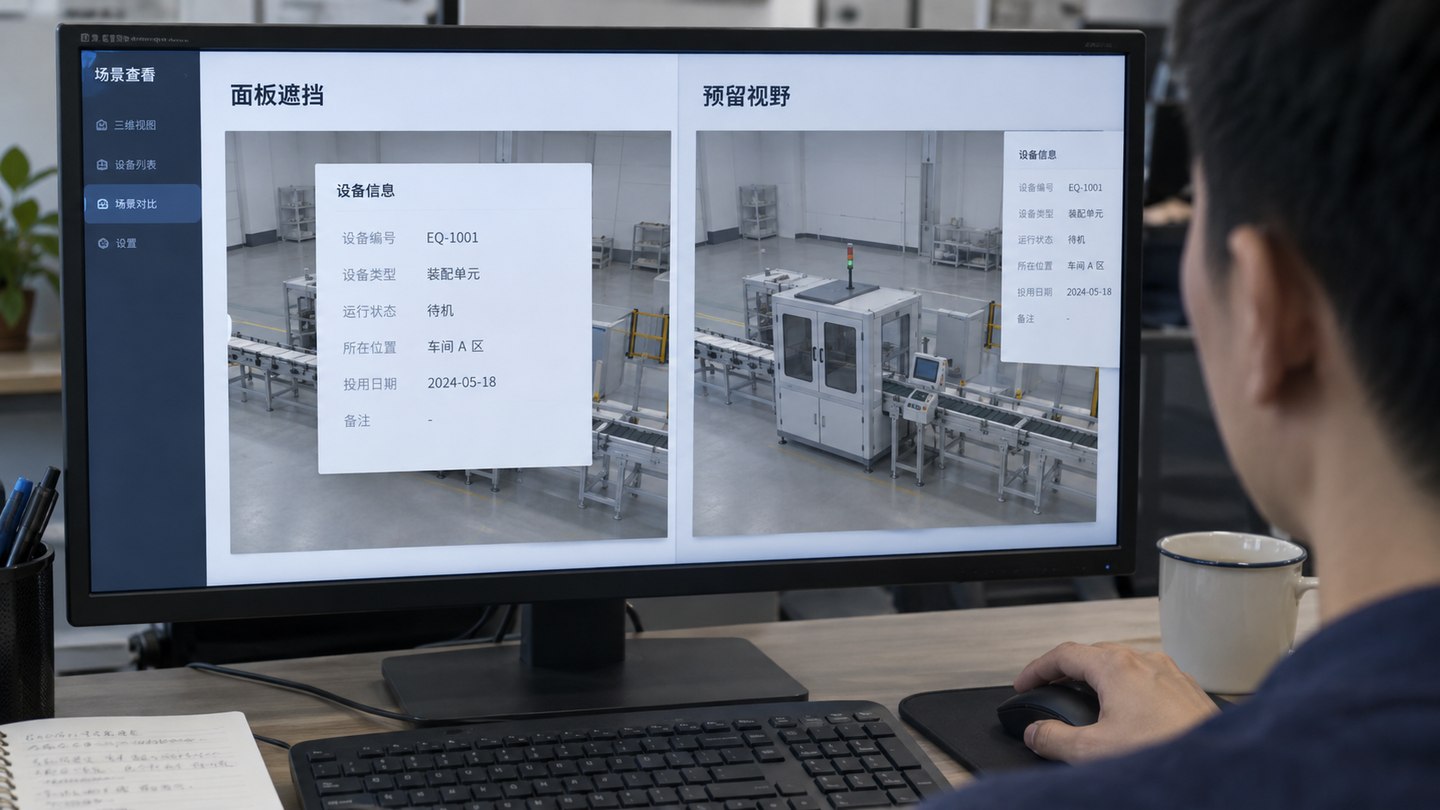
The 3D scene, map, metric cards, charts, alarms and lists need clear priorities; they should not compete for attention. One approach is to use the 3D scene for spatial overview, put key metrics on the first level, and move equipment details, alarm records and trends to a second level instead of crowding everything onto one screen.
3. Control Modeling Detail
Not every object needs a high-detail model. Key areas and important equipment can be modeled more precisely, while background and less important assets can be simplified. In a park project, for example, buildings, roads, entrances and important equipment may warrant detail, while distant landscaping, ordinary buildings and decoration can be lighter so the browser loads and runs smoothly.
4. Prepare Source Materials and Data Points Early
3D modeling usually needs floor plans, CAD files, site photos, videos, equipment inventories, floor structures, point lists and visual references. UI design needs a metric list, business workflows, alarm rules, data sources and user roles. Prepare both sets of materials together. Discovering inaccurate points after modeling, or unsupported data after UI design, creates avoidable rework.
5. Account for Runtime Performance
3D models, particles, animation and charts all consume resources. Consider the actual deployment hardware and browser performance during design. A showroom display, standard office PC, mobile device and internal-network environment can have very different limits; a design mockup alone is not a performance test. Balance model complexity, compression, textures, animation and data refresh.
6. Make Interaction Serve the Task
Interactions such as selecting a point, switching floors, opening equipment details or locating an alarm should support real usage. Excessive rotation, animated lines and effects added for spectacle can interrupt metric review and reduce usability.
Frequently Asked Questions
Is a more detailed 3D model always better?
Not necessarily. Detailed models are useful for key equipment and display areas. Control polygon counts and texture sizes for ordinary background objects. Each project must balance visual quality against runtime performance.
Should UI design happen before or after modeling?
Work on them in parallel. First agree on the overall information architecture and visual direction, then refine the model, screens and interactions while continuously aligning points, viewpoints and data hierarchy.
What materials does a digital twin project need?
Common inputs include CAD files, floor plans, site photos, equipment inventories, point lists, API documentation, metrics, presentation goals and visual references.
Related services: UI and visual design, 3D modeling and digital twins.