What should be prepared before a digital-twin project?
Organize drawings, points, APIs, rules, and deployment environment first.
Summary: 3D visualization focuses on showing spaces, buildings, equipment, or processes in three dimensions. A digital twin focuses on mapping that space to real business data, device status, alerts, video, and work-order processes. Not every 3D display needs to become a digital twin, but long-running projects for operations, monitoring, and response should generally be planned with digital-twin principles.
3D visualization helps people understand spatial relationships: a park, factory layout, equipment structure, process flow, showroom presentation, or project demonstration. Its priorities are model scope, visual quality, camera paths, labels, and presentation interactions.
A digital twin is more than a 3D model. It connects models, points, data, states, and business actions. In a park, an equipment alert might locate a precise floor and point. In a factory, production-line state, device parameters, work orders, and quality data can be linked to the 3D scene.
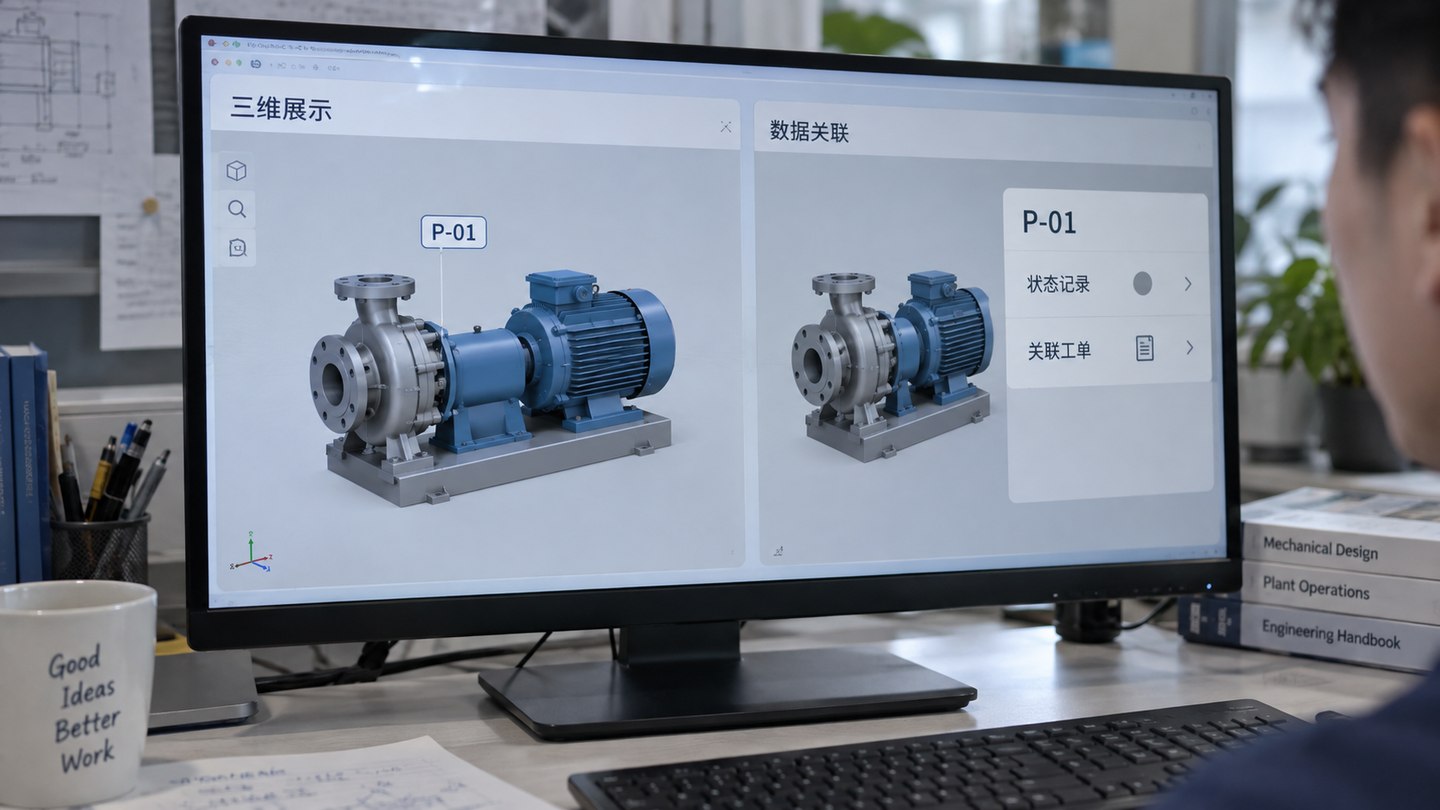
| Dimension | 3D visualization | Digital twin |
|---|---|---|
| Main purpose | Explain space, structure, and visual relationships. | Map spaces, devices, data, and business states. |
| Data connection | May use static data or no real-time feed. | Usually connects device, business-system, alert, or video data. |
| Point mapping | Primarily labels areas and objects. | Requires point IDs, coordinates, device states, and field bindings. |
| Business workflow | Primarily used for display, explanation, and reporting. | Can support monitoring, alerts, location, response, and review. |
| Materials required | Plans, photos, models, and visual references are most important. | Also needs APIs, point registers, rules, and deployment environment. |
For 3D visualization, start with floor plans, CAD, site photos, aerial images, existing models, and visual references. A digital-twin project also needs equipment-point inventories, data APIs, alert rules, video resources, page scope, deployment conditions, and acceptance criteria. See the digital-twin project preparation checklist or download the digital-twin project materials template.
Related services:Digital-twin visualization development (Chinese), Dashboard UI and visualization design (Chinese), UE5 digital-twin development (Chinese).
After choosing 3D visualization or a digital twin, define preparation, implementation, and cost boundaries.
Organize drawings, points, APIs, rules, and deployment environment first.
Review modeling, point binding, UI design, integration, and launch steps.
See how model detail, data connection, interactive behavior, and deployment affect the budget.