What Inspection Data Should Be Prepared Before Building an Industrial Inspection Platform?
Summary: Before building an industrial inspection platform, organize the inspected objects, device states, inspection tasks, results, exception alarms, reinspection records, staff permissions and acceptance data. Clear input data reduces rework in page design, API integration and acceptance.
Begin data preparation with the inspection workflow, not a wish list of charts.
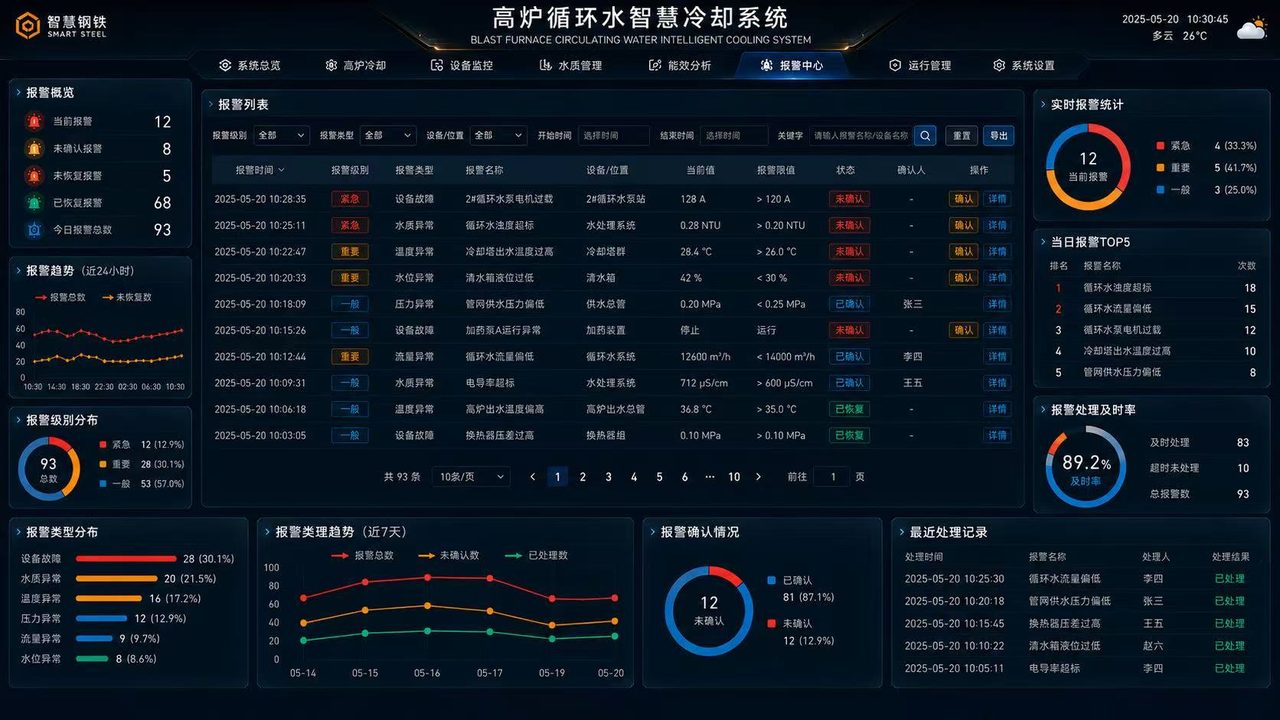
De-identified industrial inspection interface showing tasks, equipment, results, alarms and a data dashboard.
Start With Inspected Objects and Workflow Data
An inspected object may be equipment, a production line, workpiece, batch, sample, area or process step. Before the project starts, define its name, ID, location, department, inspection cycle and standard. Without shared master data, later statistics, filters and traceability become ambiguous.
Device State Supports On-Site Decisions
The platform may need to show online, offline, running, stopped, fault and maintenance states. Prepare the equipment register, device IDs, collection method, critical parameters, state fields, update time and exception rules so pages can show live status and history.
Separate Inspection Tasks From Results
A task answers who checks what and when. A result answers whether it passed, what the measurements were and whether reinspection is required. Putting both in one table makes progress, pass rate, cause and reinspection history harder to distinguish.
Data category
Suggested fields
Purpose on the page
Inspected object
Object name, ID, location, type, department
Filtering, location, tracing, master records
Device state
Device ID, online state, operating values, fault state, update time
Account access, data security, operational boundaries
Keep an Action Record for Exceptions
An exception should record more than “something is wrong.” Include severity, trigger time, related equipment, likely cause, owner, action, outcome and closure time. This turns a notification into traceable exception management.
Do Not Omit Reinspection and Acceptance Data
Industrial inspection often includes reinspection, confirmation, approval and acceptance. Prepare reinspection status and outcome, reviewer, confirmation time, acceptance standard and notes. Otherwise a dashboard can show only initial results, not the full quality trail.
Plan Permissions and Data Scope
Executives, inspectors, site staff, maintenance staff and administrators usually need different views. Define roles, departments, data scope, visible pages, permitted actions and export rights before launch to avoid rebuilding access logic.
Project-Start Checklist
Inspection flowchart, inspected-object register and inspection standards.
Equipment inventory, status fields, API documents or database fields.
Sample inspection tasks, results and exception records.
Reinspection workflow, handling records and acceptance rules.
User roles, department permissions, deployment environment and display devices.
Frequently Asked Questions
Can we build an industrial inspection platform without a real-time API?
Yes. Excel files, database samples or manual entry can validate workflow and pages first. Connect real-time equipment or business-system APIs once the process and metric definitions have stabilized.
What is the most common mistake in an inspection dashboard?
Inconsistent field definitions and exception states. If pass, pending reinspection, exception and closed are defined differently across teams, page statistics and business interpretation will disagree.
Do we need permission data before building an inspection platform?
Yes. Roles need different access to tasks, exception records and handling actions. Define administrators, inspectors, site staff and management permissions before the project begins.