Must an industrial inspection platform connect to real-time equipment data?
No. You can first use a database, Excel or back-end entry to validate the display and workflow, then add real-time equipment feeds or APIs once the process is stable.
Summary: The point of an industrial inspection platform is not simply to put inspection data on a page. First map the inspection workflow, equipment states, data sources, exception handling and acceptance criteria; then design an interface that can be maintained, integrated and reviewed.
Industrial inspection platform development typically covers workflow mapping, data-source confirmation, metric definitions, dashboard UI design, back-end functions, data integration, joint testing and ongoing maintenance.
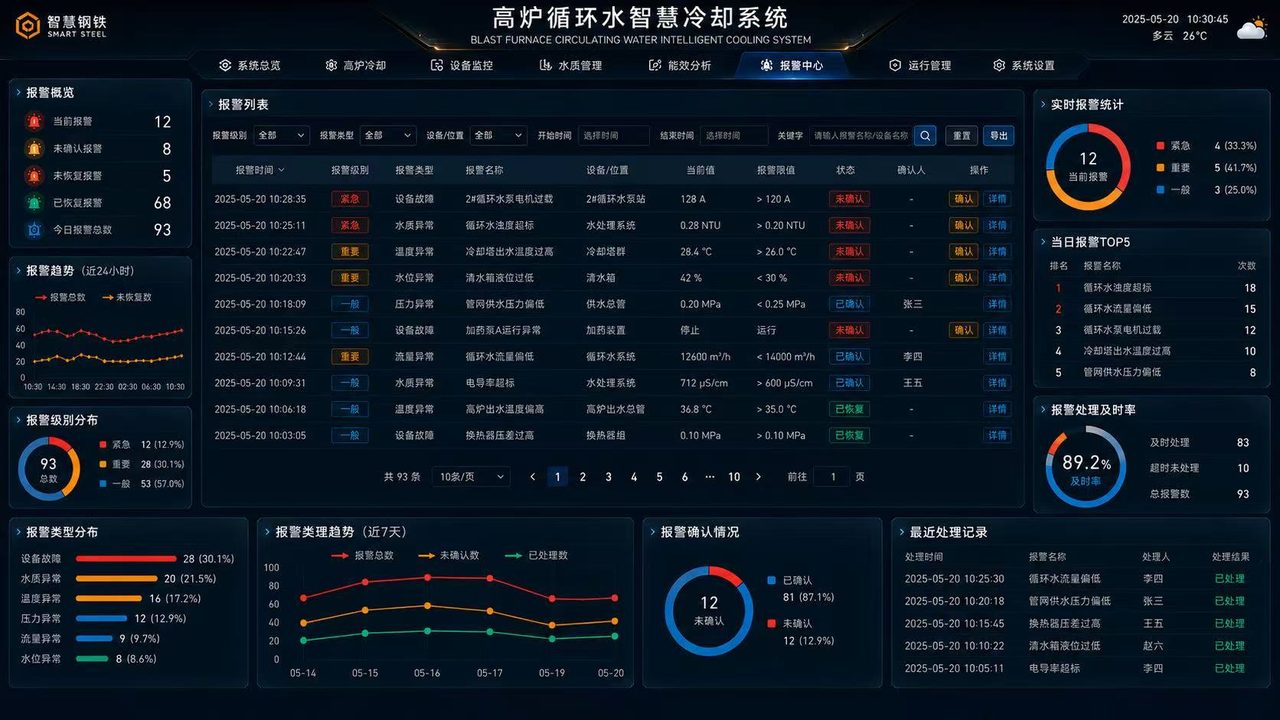
First confirm what is inspected, where inspection occurs, equipment states, results, exception handling and reinspection. If the workflow is unclear, charts, alerts and metric definitions will keep changing later.
| Data source | Suitable method | What to check |
|---|---|---|
| Equipment systems | APIs, databases, scheduled synchronization | Confirm field meanings, refresh frequency and exception states. |
| Manual inspection records | Back-end entry, Excel import | Set validation rules to keep definitions consistent. |
| Task plans | Task systems, project tables, databases | Confirm owners, milestones and completion states. |
| Alert records | Alert APIs, back-end maintenance | Distinguish severity, cause, assignee and closure state. |
Organize the dashboard around an overview, workflow, results, exceptions, trends and tasks. Use the overview to judge overall status quickly, the workflow view to show inspection points, and the results view to examine pass rates, exceptions and reinspection outcomes.
For a one-off presentation, a static demo or lightweight data configuration may suffice. For long-term use, add a back-end maintenance interface for inspection items, equipment lists, alerts, user permissions and metric definitions.
Acceptance is not just about whether the pages look good. Check data accuracy, complete exception states, stable integrations, clear permissions, deployment documentation and maintenance instructions.
No. You can first use a database, Excel or back-end entry to validate the display and workflow, then add real-time equipment feeds or APIs once the process is stable.
An inspection dashboard emphasizes status, exceptions, trends and on-site decisions. A regular report is better suited to detailed queries, filtering, export and retrospective analysis.
Yes. Confirm servers, databases, the intranet environment, API access, account permissions and maintenance responsibilities in advance.
Related solution: Industrial Inspection Data Management Platform (Chinese). Related case: Industrial Inspection Platform Case Study (Chinese). Further reading: What Inspection Data to Prepare Before Building an Industrial Inspection Platform. Related services: Software Development (Chinese), Custom Enterprise Dashboards (Chinese), Data Visualization Dashboards (Chinese).