Existing Unity or UE Digital Twin Project: What to Check Before Continuing Development
An organization may already have a 3D system for a campus, factory, or equipment. The next step might be adding points, connecting new data, changing a workflow, or moving a presentation app into daily use. Before switching teams, verify what the materials actually support. Running the old application, opening its scenes in an editor, and rebuilding after a change are three different kinds of evidence. Establishing those conditions shows which work can be reused and which dependencies must be recovered.
On this page7 sections
Turn the next requested change into one concrete action
For example, after adding a device, can a user find it in the scene, see its data, and locate it from the alert list? This single action touches model objects, business identity, APIs, and interface behavior. It reveals more about the next development stage than a demo video alone. If the goal is to move a display-machine application into a browser, assess that deployment path separately. A running original does not prove a Web version exists.
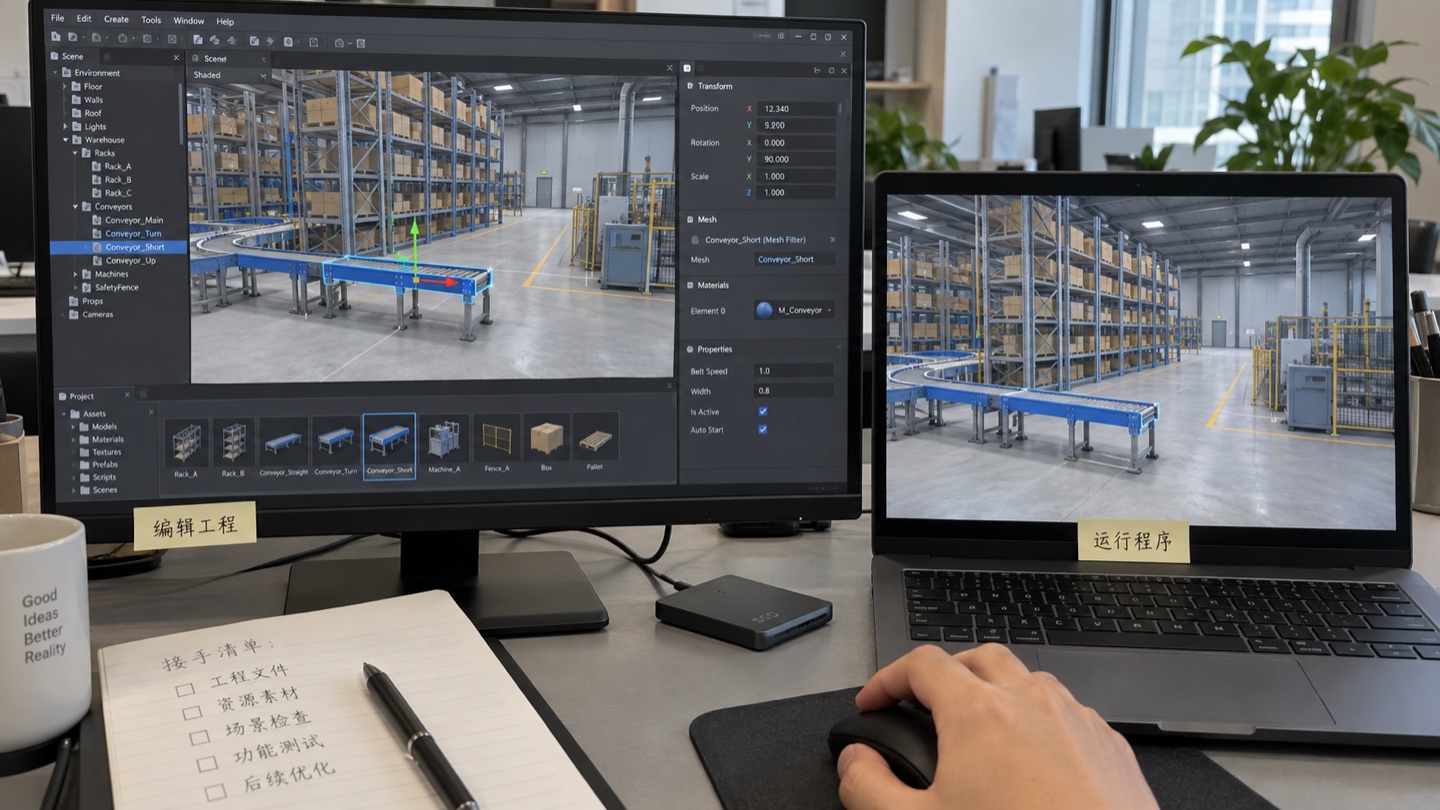
Before assessment, save a copy of the original project, its current runnable build, and known issues. Record engine versions and launch methods. Reproduce the existing environment first. Treat engine upgrades or plugin replacements as separate work. Epic's migration guidance also recommends upgrading a copy and notes that assets saved in newer versions may not open in older versions.See Epic's project migration guidance.
What the received files actually prove
Scroll horizontally to see the full comparison table.
| Material received | What to verify first | What it does not yet prove |
|---|---|---|
| Demo video, screenshots, executable, or URL | Whether existing functionality, interactions, and runtime can be documented as a baseline. | These alone do not prove access to an editable, rebuildable project. |
| Unity or UE editor project | Whether a representative scene opens in the recorded engine version with valid asset and script/Blueprint references. | Opening the editor does not prove packaging for the target platform, plugin dependencies, or live APIs. |
| Original modeling files, exported models, textures, and materials | Whether agreed changes can be made and reimported with required coordinates, units, hierarchy, and business IDs. | A displayable model does not prove the full modeling workflow or in-project business logic was preserved. |
| Build instructions, dependency list, API materials, and deployment configuration | Whether a runnable version can be rebuilt in the agreed environment and a representative task completed. | Complete-looking files still need testing; private packages, service access, or third-party components may be missing. |
UE packaging compiles code and processes assets into a runtime format for the target platform, so an installer and editor project serve different purposes. If only an EXE or packaged assets are received, locate the matching project before promising to reconstruct it from the build.See Epic's packaging guide.
Check asset references and package dependencies in Unity
The .meta file beside a Unity asset stores its identifier and import settings. Even if model or script files are present, losing their .meta files can break material and script references in scenes. Review assets with their metadata; extracting models and code alone does not prove the project is complete.See Unity's asset metadata guide.
Also check project settings,Packages/manifest.json,packages-lock.json , and plugins actually in use. The manifest identifies required packages and the lockfile preserves resolved dependencies. Verify access to local packages, private registries, or external repositories separately. Keep the existing dependency record for takeover testing. Reproduce the old environment before deciding on upgrades.Unity package manifest and Unity lockfile guide.
Check that UE Blueprints, code, and plugins build together
Start from the .uproject file and review Content, Config, plugins actually used, plus any source and build files the project requires. A UE project may use Blueprints, C++, or both. The absence of a C++ Source directory alone does not mean “there is no source.” Find where the logic to be changed lives, whether it is editable, and whether it builds with the project.See Epic's project directory guide.
Distinguish plugins with editable source from binary-only components, and record their engine-version, plugin, and target-platform dependencies. Binary-only plugins may work in the current environment, but do not guarantee compatibility with another engine version or platform. Use loading and build results in the target environment to judge maintainability; state the editable scope of third-party parts separately.See Epic's plugin guide.
Use a small change to prove development can continue
Choose a representative floor or device and make a change similar to the future requirement: add a point, change device-status display, or alter a query interaction. Edit, save, and rebuild a copy, then repeat the action on the target device. Record changed files, versions, build steps, and whether existing functions still work.
This exercise exposes the conditions for continued development: whether the model object can be found, the business ID is stable, the logic is editable, dependencies are available, and a new build can be produced. If CAD/BIM or original modeling files also need changes, test export and reimport. The official Datasmith compatibility tables differentiate source application, version, and import/export workflow; support for a file extension does not replace a test with a real sample.See Datasmith file and software compatibility.
Trace data connections and browser deployment end to end
Send one controlled test value through the API to the scene. Verify object, value, time, and state, then test timeout or disconnection. Changing demo data does not prove that the business system is integrated. Use the digital twin asset and protocol compatibility matrix (Chinese) to record fields, permissions, network zones, and point mapping.
If publishing a Unity Web build, check that plugins, APIs, and input methods work in the browser. Unity Web network requests are subject to browser cross-origin and network capabilities; raw socket connections from the original client cannot simply be copied over.See Unity's Web networking guide.
If an existing UE application uses Pixel Streaming for browser access, receive the streaming frontend, signaling service, deployment configuration, and startup instructions in addition to the UE project. A remote machine runs and renders the app while the browser displays and controls it. Shared viewing of one scene and independent sessions for each user have different resource and network requirements; verify them separately.Pixel Streaming architecture and network and deployment guidance. If the path is undecided, start with the article comparing Web 3D and engine options.
State what can be kept and what is still missing
Scroll horizontally to see the full comparison table.
| Assessment outcome | Supporting evidence | Next step |
|---|---|---|
| Continue on the original project | The old version is reproduced, a representative edit rebuilds, and critical dependencies and data paths work. | Retain existing work and define the scope and regression tests for new features. |
| Fill missing dependencies or adapt first | Gaps are specific: a plugin, private package, original model, API permission, or deployment setting, for example. | Name who will supply each item, how it will be verified, and what is affected before scheduling development. |
| Replace or rebuild some parts | A particular module lacks maintainable inputs or still fails in the target environment. | Separate reusable models, data, and logic from what must be replaced so a local problem does not trigger a complete rebuild. |
A takeover assessment establishes conditions for further development. Final delivery still requires the agreed checks for full functionality, performance, deployment, and documents. The digital twin project acceptance checklist and source-code, deployment, and account handover checklist (Chinese) can still be used.
Before continuing an existing project, document how it runs, the project directory, engine version, known issues, and the next operation you most want to complete. Then reproduce and modify a small slice.
The Hongshan Technology team has experience with Unity and Unreal Engine development. The smart factory warehouse digital twin case (Chinese) publicly describes delivery of project source files, code, and 3D models. Do not infer another project's engine, file completeness, or maintenance conditions from that scope. See the Hongshan Technology team profile.