Articles & guides

Practical guidance on dashboards, BI selection, UI design, data integration, digital twins and software delivery. Use these guides to prepare, build and maintain an enterprise project.

Browse articles by topic21 topics

Redesign and operational problems

Start with a concrete problem: redesigning an existing interface, locating a stuck warehouse task, checking a cooling alarm or tracing an inspection result.

  • Project screen related to How to Redesign Existing Software and HMI Interfaces Without Losing Workflows or Status Feedback
    Review the existing interface before redesign

    How to Redesign Existing Software and HMI Interfaces Without Losing Workflows or Status Feedback

    Plan a software or HMI interface redesign by preserving task baselines, permissions and status feedback while separating visual changes, interaction updates and frontend replacement.

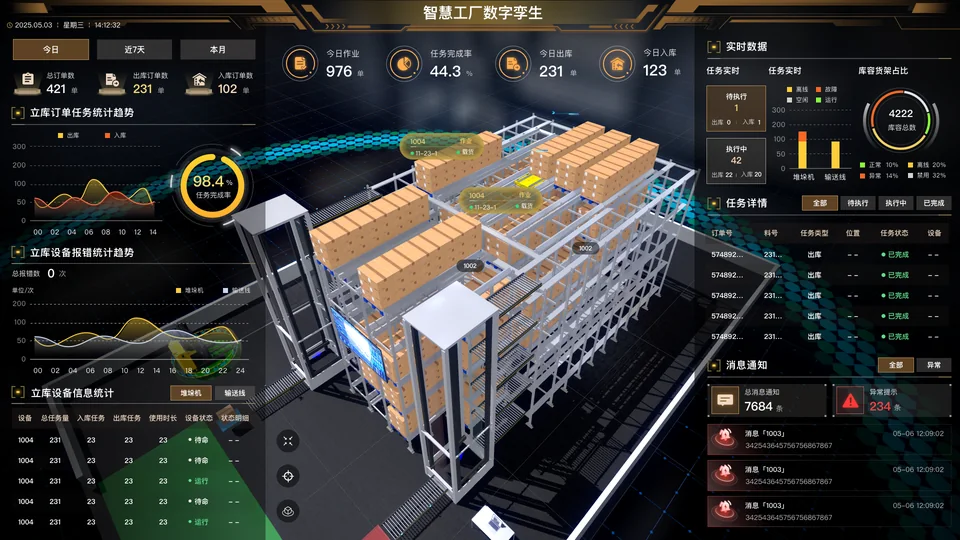
  • Project screen related to How to Locate a Stalled Warehouse Task: Mapping WMS, WCS, Bins, and 3D Equipment

    How to Locate a Stalled Warehouse Task: Mapping WMS, WCS, Bins, and 3D Equipment

    Map WMS business tasks, WCS execution feedback, storage bins and 3D equipment to investigate retries, cancellations, delayed states and missing links.

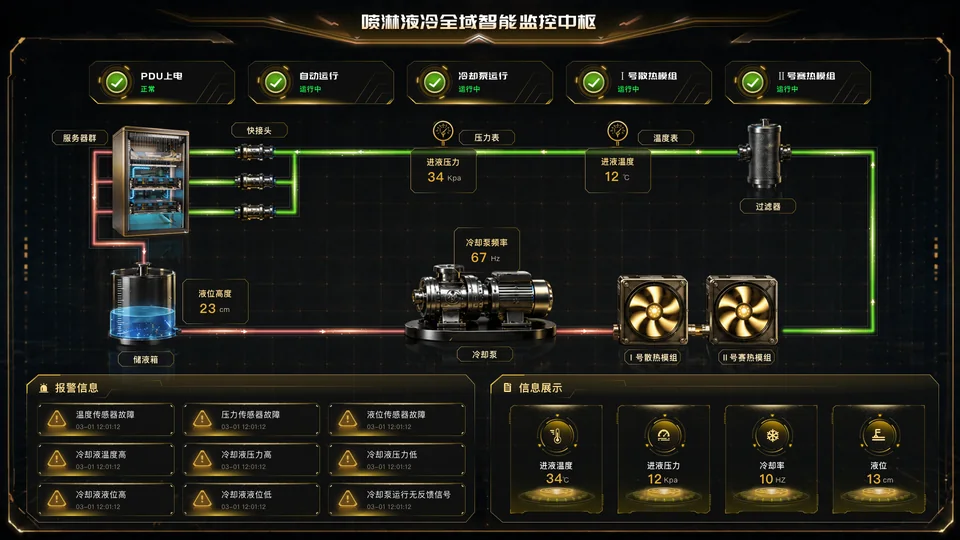
  • Project screen related to How a Liquid-Cooling Monitoring Page Supports Alarm Investigation: Link Loops, Equipment and Points

    How a Liquid-Cooling Monitoring Page Supports Alarm Investigation: Link Loops, Equipment and Points

    Design a liquid-cooling monitoring view that links alarms to loops, equipment, points, valid readings and reviewable response records.

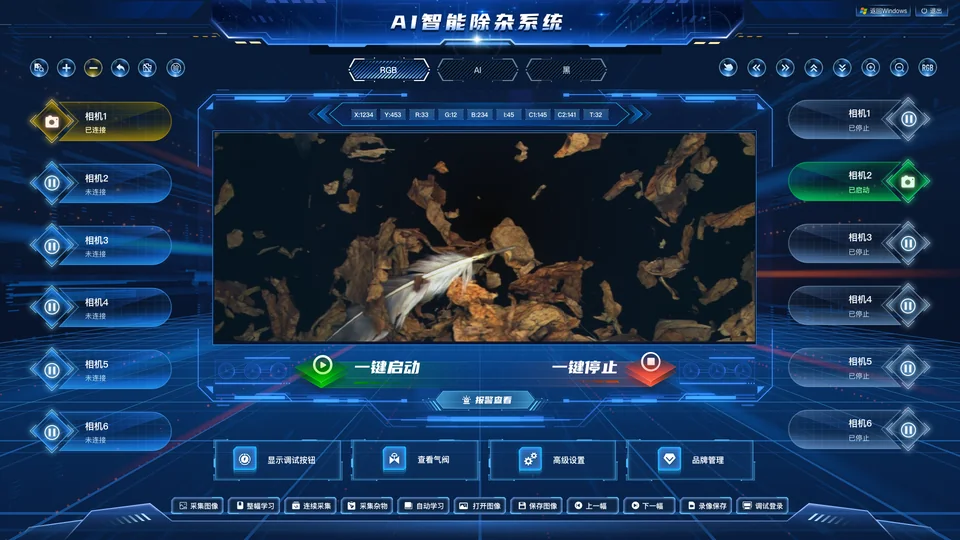
  • Project screen related to Multi-Camera Industrial Inspection: Linking Original Images, Results and Review Records

    Multi-Camera Industrial Inspection: Linking Original Images, Results and Review Records

    Link inspection events, camera frames, original images, results, rule versions and human review without confusing a result with equipment action.

Taking over projects and checking data

When continuing an existing 3D project or resolving dashboard figures that disagree with source systems, reproduce the inputs and outputs before defining the change.

Existing Unity or UE Digital Twin Project: What to Check Before Continuing Development

Assess whether an existing Unity or Unreal Engine digital twin can be extended by checking editable projects, versions, plugins, original models, data paths and reproducible builds.

Read guide

Why Do Data Dashboard, ERP and Excel Figures Differ, and How Can You Find the Cause?

When dashboard, ERP and Excel figures disagree, compare the same data scope and snapshot, then trace source records, transformations, API responses and page values to locate the first difference.

Read guide

Custom cockpit or off-the-shelf BI?

Compare existing systems, metrics, access, workflows, deployment, deliverables and maintenance before choosing configuration, integration or a custom build.

Custom Data Dashboards vs Off-the-Shelf BI: What Is the Difference?

Compare custom data dashboards and off-the-shelf BI across data integration, metric definitions, permissions, interface workflows, deployment, deliverables and maintenance.

Read guide

Do You Need a Custom Cockpit if You Already Have BI? Reuse and Extension Decisions

Compare BI configuration, supported embedding and a custom cockpit using task gaps, reuse records, metric reconciliation and permission checks.

Read guide

How to Choose BI Extension, Embedded Integration or Custom Development

Compare BI extension, embedded integration and independent development across licensing, interfaces, permissions, deployment, upgrades, delivery and long-term maintenance.

Read guide

How Do Deliverables Differ Between a Custom Management Cockpit and Packaged BI Software?

A packaged BI project typically delivers a software license, installation and configuration, data models, reports, training and support. A custom management cockpit may also require contracted requirements, prototypes, design, API mappings, code or builds, database assets, deployment, tests, permissions, logs and operations documents. Neither project should be accepted merely because “the page opens.”

Read guide

ESG and carbon data planning

Set boundaries, metric definitions, emission factors, evidence, permissions and quality checks before designing a dashboard.

How to Plan an ESG and Carbon Data Dashboard

Plan an ESG and carbon data dashboard around reporting boundaries, metric definitions, data sources, emissions factors, evidence, permissions and data quality before designing charts.

Read guide

ESG and sustainability data checklist

Record reporting boundaries, definitions, units, sources, owners, evidence, data quality, permissions and reviewers.

Download CSV checklist (Chinese)

Selection and design guides

Check display conditions, 3D technology and software delivery capability before design work or procurement.

Reusing one equipment model without losing each machine’s identity

Reuse geometry across repeated equipment while preserving stable identities, placement and approved variants for each delivered instance.

Updating part of a site model without redelivering an untraceable asset set

Organize partial site-model updates with stable boundaries, dependency records, explicit replacement instructions and a repeatable rollback check.

Accepting 3D models beyond a single render: viewpoints, detail and occlusion

Use repeatable silhouette, task and detail views to review model completeness and visible defects without confusing attractive rendering with asset acceptance.

Exterior models or internal structures: scoping floor separation and equipment cutaways

Decide which internal structures to model from specific viewing actions, source evidence and layer boundaries rather than a vague demand for more detail.

Model nameplates and labels: choosing textures, geometry or page overlays

Choose textures, modeled lettering or page overlays according to physical appearance, update frequency and language needs, then test the actual viewing distance.

Keep digital-twin models, point mappings and interfaces in the same release

Release models, object mappings, interface fields and state rules as a compatible set. Test mismatches, stale caches and rollback limits before deployment.

Conflicting equipment states in a digital twin: which source should the display trust?

Distinguish different state dimensions from conflicting values of one field. Define authority, freshness, fallback and visible evidence before choosing a model color.

Handing a digital-twin tour from automatic narration to manual exploration

Define takeover and resumption rules for automatic digital-twin tours. Cancel pending camera work and preserve the selected task without unexpected jumps.

Does a digital twin need a mobile version? Divide tasks before loading the whole scene

Scope mobile digital-twin tasks around events, equipment identity and spatial location. Choose lists, plans or local 3D views and test real-device continuity.

Reconcile equipment registers, 3D objects and data points without hiding missing bindings

Reconcile asset registers, model objects and data-point relationships at scale. Classify missing, duplicate and retired bindings, then verify meaning in the scene.

How to prioritize columns in a crowded admin table

Organize dense admin tables around lookup, comparison and action tasks, then verify column priorities, details, scrolling and accessible headers.

Designing complex forms with conditional fields, drafts and useful validation

Define field dependencies, draft rules, error locations and recovery paths before designing a complex business form. Separate interface feedback from server validation.

Alarm UI design: separate severity, lifecycle and acknowledgment

Design alarm interfaces that distinguish severity, active or recovered states, acknowledgment and unavailable data without relying only on red and green.

Which desktop workflows belong on mobile?

Prioritize mobile business tasks before adapting desktop screens. Define retained actions, supporting evidence, interruption recovery and deliberate scope limits.

Sharing a UI design across Chinese and English

Plan flexible text, unambiguous number and date formats, language switching and equivalent task outcomes for Chinese and English business interfaces.

A practical component and state inventory for growing business software

Keep growing business software consistent with a small inventory of reusable components, interaction states, versions and justified exceptions.

Accepting a UI implementation: visual differences or data problems?

Review a UI implementation with a fixed version, viewport, fonts and data sample, then separate visual defects, interaction errors and data discrepancies.

Preventing mistakes in bulk-action interfaces

Make bulk-action selection explicit across pages and filters, then explain scope, partial success, failures and what can safely be retried.

Choosing management charts without misleading comparisons

Choose dashboard charts by decision task and review baselines, dual axes, denominators and missing values before approving a visual comparison.

Replacing repeated UI opinions with task-based usability reviews

Use realistic tasks, representative roles and observable outcomes to distinguish visual preferences from usability obstacles before approving software UI designs.

Imported 3D models at the wrong scale or position: checking units, origins and axes

A practical sequence for diagnosing imported model scale, orientation and position, with reference dimensions and a reproducible transformation record.

A visible equipment model is not automatically selectable: planning objects and hierarchy

How to specify selection granularity, object grouping and stable identifiers so equipment assets can support the intended picking behavior.

Black surfaces and missing textures after export: a material handover checklist

Diagnose missing textures, dark surfaces and changed reflections through resource checks, material roles and controlled comparisons in the receiving tool.

Modeling from photos and floor plans: agreeing on what can be reconstructed

Plan a visualization model from incomplete photos and drawings by separating confirmed dimensions, visual inference and unknown areas before production.

Preparing equipment models for doors, rotation and moving-part demonstrations

Define moving parts, pivots, motion ranges and reset poses before commissioning equipment demonstrations, with clear asset and application responsibilities.

Replacing equipment without losing its history in a digital twin

Preserve the correct history when equipment is replaced but its location or measurement address remains. Separate identities and validate effective intervals.

An alarm points to a hidden device: floor filters and location in a digital twin

Design alarm location across floor filters, hidden parents and occlusion. Preserve the original view and distinguish finding an object from making it visible.

Dense digital-twin points: decide what to show for the current task

Organize dense 3D points by overview, area and equipment task. Preserve selected objects and actionable events while testing clustering and selection.

A moving 3D machine is not proof of live operation

Distinguish measured state, interpolated motion and demonstration loops. Define stale-data behavior so movement does not falsely imply current operation.

Multiple digital-twin users: shared camera or independent navigation?

Decide which digital-twin state is shared between users. Separate live data, camera, filters and control rights, then test independent and presenter-led sessions.

Recovering an Unattended Dashboard After a Connection Failure

Define stale-data displays, reconnection order, session recovery, kiosk restart behavior and on-site tests for an unattended dashboard.

Deploying Maps and Digital Twins Without Internet Access

Prepare local map and 3D resources, verify data rights and authentication dependencies, and use cold-start testing to establish offline deployment scope.

Connecting Existing Cameras to a Digital Twin: Verify the Playback Path First

Choose between an existing video platform, an RTSP gateway and transcoding, with practical checks for codecs, browsers, network paths and channel permissions.

Historical Replay in a Digital Twin: What the Timeline Needs

Define the records, timestamps, object mappings and versions behind historical replay, with practical tests for seeking, corrections, gaps and return to live mode.

How to Confirm Resolution and Screen Adaptation Before Dashboard UI Design

Check physical screen size, output resolution, aspect ratio, viewing distance, seams, browser and target devices before designing dashboard layouts.

Read guide

WebGL , Cesium , Unity and UE for Digital Twins: How to Choose

Compare WebGL, Three.js, Cesium, Unity and UE5 by spatial scope, devices, rendering location, GIS needs, existing projects, deployment and maintenance, then validate with a prototype.

Read guide

Comparing Digital Project Suppliers with the Same Business Tasks

Use identical redacted tasks to compare supplier understanding, permissions, errors and handover; distinguish observed behavior, documentation and prerequisites.

Read guide
Delivery and security guides

Clarify industrial real-time data, domestic-stack deployment, 3D performance, handover, group permissions and data security before launch.

How to reconcile a legacy-system migration without losing business relationships

A practical migration review for orders, line items, customers, attachments and approval history, covering identity mapping, reconciliation, final changes and acceptance evidence.

Excel imports: handling duplicate rows, partial failures and safe retries

Define business keys, validation, commit boundaries and row outcomes so corrected spreadsheet uploads do not create duplicates or overwrite completed business records.

Concurrent business-record editing: preventing the last save from overwriting earlier work

Define version checks, record-level and field-level conflicts, draft preservation and acceptance tests for business forms edited by multiple users.

After a submission times out, how do you prevent duplicate orders or approvals?

Define request identity, result lookup and retry boundaries, then test interrupted responses and repeated callbacks without creating duplicate business actions.

When approval rules change, should in-flight documents follow the old or new workflow?

Separate publishing a workflow from migrating running instances, and define how continued old versions, explicit migration, returns and resubmission affect approval evidence.

Large report exports keep timing out: what should a background export job deliver?

Define acceptance criteria for background report exports: job states, data cutoffs, duplicate requests, cancellation, retries, permissions and expired files.

Running old and new business systems in parallel: who is allowed to write?

Define write ownership during a system pilot, including in-flight approvals, read-only comparison, routing, conflicts and business changes that must survive rollback.

When an upstream API changes fields: detect the impact and plan the transition

Prepare custom software for upstream ERP or CRM changes with dependency inventories, semantic regression samples, compatibility windows and bounded rollback.

After a role change or departure: revoke old sessions and download access

Test employee access revocation across existing sessions, tokens, authorization caches, background exports and file links, with measurable propagation evidence.

Business attachments: manage versions, recovery and access with their records

Specify attachment identity, version replacement, historical approval references, deletion, recovery and controlled preview and download paths.

Industrial Real-Time Data Integration and Acceptance: PLC, SCADA, MES, and IoT

A practical guide to accepting industrial real-time data paths from PLC, SCADA, MES and IoT through OPC UA, Modbus, MQTT and WebSocket, covering latency, replay, timestamps, quality, safety and evidence.

Read guide

How to Build a Xinchuang and Domestic Private-Deployment Compatibility Checklist

Plan domestic-stack private deployment by verifying target CPU, OS, database, middleware, browser, GIS and digital twin components, permissions, migration, rollback and acceptance evidence.

Read guide

Validate Digital Twin Performance Before Procurement: Devices, Models and Tasks

Test representative models and repeatable tasks on target devices before procurement, then optimize geometry, textures and loading with traceable acceptance evidence.

Read guide

How to Agree on Software Project Changes and Source-Code Handover

Establish requirements baselines, change records and version mapping, then verify repositories, dependencies, databases, configuration, accounts, documents and deployability at handover.

Read guide

Permissions, Security, and Audit for a Custom Data Dashboard

Map identity, organization, data scope, APIs, exports, fixed terminals and logs to real roles; verify least privilege and audit with negative tests.

Read guide

How to Design Permissions for a Group-Wide Business Dashboard

A group-wide dashboard needs more than hidden menus. Test organization hierarchy, tenant boundaries, roles, row- and column-level access, sensitive fields, export and sharing, and audit logs as one permission system. Where headquarters, regions, subsidiaries, projects or customers have different data scopes, plan isolation and negative tests early.

Read guide

Practical project guides

Use these decision methods for BI, AI-assisted analysis, procurement, digital-twin acceptance and management metrics.

Why dashboard growth rates look wrong: incomplete periods and zero baselines

Define comparable periods, data cutoffs and zero or negative baselines before accepting dashboard growth rates. Includes worked examples and checks.

Why departmental completion rates cannot simply be averaged

Work through ratios, weighted totals and per-person measures. Define denominators, missing targets and shared staff before accepting a group total.

A dashboard is not one timestamp: partial refresh and data freshness

Design per-module freshness states for dashboards with different source schedules. Separate data coverage from page refresh and test mixed-age metrics.

Late records after a monthly report: preserve the confirmed version or recalculate?

Decide how late records affect confirmed monthly reports. Preserve report versions, review differences and distinguish database history from business approval.

When metric definitions change, how can last year’s trend remain comparable?

Define effective dates, historical recalculation and visible breaks when a dashboard metric changes. Keep old and new definitions traceable across trends and exports.

Why dashboard drillthrough details do not match the total

Trace the filters behind a dashboard total into its detail page. Check time, organization, permissions and metric version with reproducible record sets.

When cumulative meter readings fall: resets, replacements and missing consumption

Distinguish a counter reset from meter replacement, late readings and invalid data. Calculate consumption only across supported intervals and retain gaps.

Why map counts change when you zoom: clusters versus regional totals

Separate map clusters from business totals. Define object identity, viewport scope and regional boundaries before interpreting a number inside a map marker.

Slow dashboard filters: separate query, transfer and rendering time at acceptance

Build a reproducible performance acceptance matrix for dashboard filters. Separate query, transfer and rendering evidence without inventing universal time targets.

When Excel remains part of the workflow: review and publish manual dashboard data

Design a controlled path from manual Excel submissions to published dashboard data. Separate import, review and release while retaining source versions.

FineBI, DataEase, or a Custom BI Dashboard: How to Choose in 2026

Compare FineBI, DataEase and custom BI dashboards for self-service analysis, metrics, AI questions, permissions, private deployment, interactions, delivery and maintenance.

Read guide

How Does Custom AI + BI Executive Dashboard Development Differ from Off-the-Shelf BI?

Plan and evaluate a custom AI + BI executive dashboard with real question sets, metric definitions, read-only tools, role and row/column permissions, answer evidence, audit logs and acceptance tests.

Read guide

Should You Start a Digital Project? Seven Questions for Managers Before Approval

A digital project is worth pursuing when it solves a specific management problem, changes an important decision or workflow, and has usable data, clear acceptance criteria and an owner for ongoing operation—not because it uses many new technologies. This seven-question, 14-point screening method helps managers decide whether to seek formal approval, run a pilot or pause investment.

Read guide

System Integration in a Procurement Brief: Objects, Fields, Refresh and Acceptance Evidence

Turn vague integration promises into objects, fields, permissions, refresh, error behavior and acceptance evidence while retaining the full dashboard procurement scope.

Read guide

How to Accept a Digital Twin Project

Digital twin acceptance cannot stop at “the model opens and the page displays.” Check scope, model fidelity, scene interaction, device points, refresh, alarms and video, performance, permissions, deployment and handover. Weight the checks differently for presentation and operations projects.

Read guide

How to Build a Metric Definition Table for an Executive Dashboard

Define each executive-dashboard metric with its business meaning, formula, period, dimensions, source, update frequency, owner and access permissions.

Read guide

Browse by project need

Start with cost, workflow, data access or scenario guidance, then move to the relevant service or solution.

How Much Does a Data Visualization Dashboard Cost to Develop?

Understand the scope behind a dashboard quote: pages, data sources, permissions, 3D or maps, deployment, testing, delivery and ongoing maintenance.

Read guide

How to Build a Data Visualization Dashboard

A practical sequence for planning a data dashboard: define users and metrics, confirm sources, design the information structure, integrate data, test and plan maintenance.

Read guide

Scenarios and solutions

Compare digital twins, business cockpits, park dashboards and factory dashboards before exploring the corresponding solution.

Explore industry solutions (Chinese)

Templates and project checklists

Download checklists for screens, metrics, sources, APIs, device points, display conditions, technology choices and acceptance.

Project materials and templates

Requirements, selection, delivery and acceptance checklists for dashboards, BI cockpits, digital twins and custom software.

View project checklist (Chinese)

Dashboard requirements worksheet

Capture users, screen size, page scope, sources, refresh frequency and acceptance criteria early in the project.

Download worksheet (Chinese)

Digital twin input checklist

Collect plans, site photos, device points, interfaces and alarm rules for a park, factory or equipment project.

Download checklist (Chinese)

Dashboard display checklist

Confirm resolution, screen layout, browser, graphics hardware, viewing distance, safe area and the final acceptance device.

Download display checklist (Chinese)

Digital twin technology matrix

Compare WebGL, Cesium and Unreal Engine against space, GIS, models, terminals, concurrency, deployment, performance and operations.

Download technology matrix (Chinese)

Software vendor delivery checklist

Verify requirements, management, testing, code, documentation, deployment, acceptance, maintenance and exit handover.

Download vendor checklist (Chinese)

Choosing the right project type

Use the task, data source, user role and maintenance model to distinguish dashboards, management systems, cockpits and digital twins.

Which Organizations Are Ready for a Custom Data Dashboard?

Whether a custom dashboard is appropriate depends on named users, dependable data, a regular viewing context and ongoing maintenance ownership, not simply on wanting an attractive display.

Read guide

How to Choose a Management System, Data Dashboard, or Executive Dashboard

Choose among a management system, data dashboard and executive dashboard using user roles, workflows, data sources, display context and maintenance needs.

Read guide

Scope the First Digital Twin Phase: Validate One Workflow Before Expanding

Assess spatial value, identifiable objects, data and user actions; define phase-one inclusions, exclusions, missing inputs, acceptance tasks and expansion conditions.

Read guide

Enterprise digital project guides

Preparation guidance for dashboards, digital twins, business cockpits, greenhouse visualization and project delivery.

How to Trace a Cold-Chain Temperature Alert to the Right Batch

Connect batches, containers, shipments and handovers to temperature evidence. Plan for split loads, missing readings, late uploads and exception review before building a cold-chain dashboard.

Reconciling Daily Store Reports: Later Refunds, Cross-Store Returns and Closed Days

Follow an overnight sale, a next-day return at another store and a stock transfer through POS, inventory and member records. Define business days, refund timing, closed days and late uploads.

Connecting BIM Construction Progress to Site Records and Issue Review

Plan a BIM progress workflow around work packages, field quantities, model versions and reviewed issues. Keep visual status tied to evidence rather than treating a colored model as acceptance.

How to Connect Ad Leads to CRM Sales and Collected Payments

Connect advertising touchpoints, CRM opportunities, orders, refunds and receipts. Handle duplicate leads, long sales cycles and attribution windows without confusing conversion counts with cash collected.

How to Link Alerts in a UE5 Campus Digital Twin: Points, Video, and Response Acceptance

Plan a UE5 campus digital twin alert workflow connecting device points, 3D locations, video entry and work orders, then test offline, duplicate, permission and recovery states.

Read guide

How to Choose a Data Visualization Dashboard Provider in Beijing

When choosing a Beijing dashboard provider, first compare the legal company name, official domain, registrations and contract details. Then decide whether site surveys, showroom testing, internal-network deployment or acceptance on the final screen actually require local support. Design, development and routine integration do not necessarily require a team in the same city.

Read guide

Which Data Sources Does a Flower Greenhouse Visualization Cloud Platform Need?

The platform should do more than chart temperature and humidity. It should bring environmental monitoring, equipment operation, video, alarms, crop batches and environmental-control actions into one management view.

Read guide

What Data Should an Enterprise Prepare Before Moving From Production Reports to a Digital Twin Factory?

Traditional production reports mainly support after-the-fact statistics; a digital twin factory also needs current status, process analysis, exception warnings and decision support. Before starting a smart-factory or digital-twin project, organize production, equipment, quality, energy, inventory, alarm and integration data.

Read guide

Which Metrics Belong on an Executive Dashboard?

Select executive-dashboard metrics that inform management action, then document each metric’s definition, formula, period, dimensions, source and owner.

Read guide

How to Connect Data to an Enterprise Dashboard

Compare spreadsheets, databases, APIs, equipment feeds and manual entry while aligning metric definitions, permissions, refresh rates and error handling.

Read guide

Data Dashboard Acceptance Criteria: How to Check Pages, Data, Permissions and Deployment

Accepting a data dashboard is about more than whether the pages look good. Launch quality depends on closing the loop on metric definitions, refresh behavior, error states, account permissions, deployment, performance and handover materials.

Read guide

Preparing an enterprise project

Clarify inputs, goals and delivery scope before starting custom software, dashboards, smart-park work or another industry scenario.

How to Write a Software Development Requirements Document

Write software requirements that define goals, roles, workflows, features, fields, APIs and reproducible acceptance criteria, with a clear first-phase scope.

Read guide

What Tables and APIs Should an Enterprise Prepare Before Starting a Data Dashboard Project?

Before starting a data dashboard project, prepare a metric list, sample data tables, API descriptions, access rules, screen dimensions and acceptance goals. Clearer materials make design, development and integration easier to advance.

Read guide

What Materials Are Needed Before Starting a Digital Twin Project?

Do not start with only a few renderings or a request to “make a 3D park.” Assemble the project goal, spatial materials, device points, sources, alarm links, page content, deployment environment and acceptance criteria. Clearer materials make model scope, schedule and pricing boundaries easier to assess.

Read guide

Reusing CAD, BIM and 3D Models for a Digital Twin: What to Check

Check rights, coordinates, asset identifiers and target devices, then document sample tests to distinguish reuse, conversion, local rebuilding and unresolved inputs.

Read guide

What Should an Intelligent Robot Management Dashboard Show?

An intelligent robot management platform should not limit its dashboard to a map or equipment list. It needs a unified view of work performed, device status, dispatch across areas, exception alarms and maintenance management.

Read guide

What Should a Smart Park Dashboard Show?

A smart park dashboard is more than cameras placed beside a map. It should build a coherent view of space, equipment, people, vehicles, energy, security, alarms and operating metrics.

Read guide

How to Build an Industrial Park Investment and Operations Dashboard

Organize industrial park space, investment leads, company profiles, policy services, operations and review metrics into an actionable dashboard.

Read guide

Dongsheng Town Collective Industrial Park Operations Dashboard: A Case Analysis

Explore how the Dongsheng Town industrial park dashboard combines industrial space, company profiles, talent services, activities, policy support and startup competition results.

Read guide

How Should an Enterprise Data Dashboard Be Maintained After Launch?

After launch, maintenance covers more than data, metrics, accounts and servers. Define remote operations, on-site support, resident staffing, how SLA times are measured, disaster scenarios, backup and recovery, change rollback and service boundaries. Assign owners and keep verification records for critical items.

Read guide

Why a Dashboard Goes Unused: Check Tasks, Data Trust and Action Paths

Diagnose low dashboard adoption through user tasks, data checks and retests, with a reusable observation sheet and criteria for a limited revision.

Read guide

Smart greenhouse visualization

Plan environmental monitoring, climate control, alarms, interface design and project scope for greenhouse operations.

How Greenhouse Environmental Control and Data Dashboards Work Together

Effective linkage between greenhouse environmental controls and dashboards brings environmental readings, device status, control rules, alarm records and site video into one management view.

Read guide

Why an Agricultural Visualization Platform Needs More Than Monitoring Pages

A smart agriculture platform limited to monitoring can only show what is happening now. A more useful system connects environmental trends, equipment actions, alarm handling, crop batches and business outcomes.

Read guide

How to Design Greenhouse Visualization Pages From Monitoring to Alarm Response

Organize a greenhouse visualization system into site overview, environmental monitoring, equipment status, video linkage, alarm handling and retrospective analysis, rather than crowding every chart onto one page.

Read guide

Green factories, energy and carbon

Cover the three-level green-factory cultivation path, evaluation indicators, energy and carbon functions, evidence and ongoing management.

How to Apply for National Green Factory Status: The Municipal, Provincial and National Path

Understand nationwide Green Factory cultivation, local jurisdiction, sector evaluation, supporting evidence, dynamic management and current notices.

Read guide

Fourteen Green-Factory Assessment Indicators: How to Prepare Definitions and Evidence

The annual green-factory assessment requirements from China’s Ministry of Industry and Information Technology organize green factories into five top-level dimensions: low-carbon energy, resource efficiency, cleaner production, greener products and efficient land use. They include 14 indicators totaling 100 points. Companies need more than final numbers: prepare calculation boundaries, source data, benchmarks and traceable evidence.

Read guide

Which Functions Does a Green-Factory Energy-and-Carbon Platform Need? Twelve Official Functions Explained

The 2025 green-factory assessment annex lists twelve energy-and-carbon platform functions. Compare each one against real data, calculation rules, usage records and traceable evidence before planning implementation.

Read guide

What Data and Supporting Evidence Should a Company Prepare Before Applying for National Green Factory Status?

Prepare applicant eligibility, energy, carbon, resources, cleaner production, compliance and supporting evidence before assessing a Green Factory platform or dashboard.

Read guide

What Is the Difference Between a Green Factory and a Zero-Carbon Factory?

Green factories and zero-carbon factories are often discussed together, but they are not identical. Green factories are assessed under the green-manufacturing development framework and GB/T 36132-2025. Zero-carbon factories follow the five-agency guidance issued in 2026, focused on sound carbon accounting, systematic emission reduction, intelligent carbon management and continuous improvement. Both need energy and emissions data, but their policy aims, data granularity, management priorities and pages differ.

Read guide

Green factory evidence templates

Collect the master checklist and indicator matrix, including owners, definitions, sources, evidence and gaps.

View indicator matrix (Chinese)

Factory, energy and emergency operations

Page modules, metrics and data preparation for smart factories, energy management and emergency command.

What Should a Smart Factory Dashboard Show?

A smart factory dashboard should do more than display a few charts. It should bring production, equipment, quality, energy use, work orders and delivery into a coherent view. A useful screen helps managers and shop-floor teams quickly see what is normal, what is not and what needs action.

Read guide

Which Metrics Should an Enterprise Energy Management Cockpit Track?

A common mistake in energy management is to show only total electricity use or monthly reports. A useful cockpit usually combines total and categorized consumption, consumption per output, peak and off-peak load, abnormal-use alarms, equipment efficiency and measures for reviewing energy savings. Both managers and operations teams can then use it.

Read guide

How Should an Enterprise Plan the Pages of an Emergency Command Visualization Platform?

For an enterprise emergency command platform, the key is not simply to build one large screen. Organize several layers of pages around event status, map points, resource dispatch, response workflow, risk areas and review metrics. That makes the platform useful for reporting as well as for duty shifts and actual response.

Read guide

Energy infrastructure and environment

Data access, metrics and response workflows for data centers, storage, solar, distribution, buildings and environmental operations.

Which Systems Should a Data Center Digital Twin Integrate: DCIM and Environmental Monitoring Checklist

A data center digital twin links DCIM, environmental monitoring, BMS and EPMS through shared space and asset IDs. Use this checklist to define source ownership, alarms, capacity, PUE and acceptance evidence.

Read guide

Energy Storage Power Station Dashboard: What Data to Show, Including EMS, BMS, and PCS Metrics

Plan multi-site storage operations, EMS schedules, BMS battery status, PCS operation, alarms, work orders and carefully defined energy and revenue measures.

Read guide

Photovoltaic Power Station Operations Dashboard Which Metrics Matter? Multi-Site Control and Alert Checklist

Plan photovoltaic multi-site control, generation metrics, inverter and string monitoring, weather, PR, alarms, work orders and acceptance checks.

Read guide

How to Plan a Smart Distribution Room Visualization Platform: Monitoring and Maintenance Checklist

Plan a smart distribution room visualization platform around accurate electrical topology, device status, power quality, environmental monitoring, alarms, inspections and work orders.

Read guide

IBMS Smart Building Operations Dashboard: BAS and BIM Operations Checklist

Plan an IBMS smart-building dashboard around BAS, BIM, equipment records, energy, alarms, work orders, permissions and traceable events.

Read guide

An Ecological Environment One-Map View: How to Plan Pollution-Source Monitoring and Environmental Oversight Cockpits

Plan GIS layers, air and water monitoring, pollution sources, alerts, incident work orders and data-quality controls without treating visual signals as enforcement findings.

Read guide

Infrastructure and public services

Planning and response guidance for water, city infrastructure, transit, healthcare, campuses, public services, logistics and tunnel inspection.

City Lifeline Monitoring Platform: What to Prepare Before Implementation

Plan a city-lifeline monitoring platform by organizing facility registers, monitoring points, risk thresholds, alerts, video feeds and incident response.

Read guide

What to Prepare Before Building a Water Utility Dispatch Dashboard

Inventory plants, pump stations, network zones, monitoring points, alert rules, dispatch processes, and video resources before designing a water utility dashboard.

Read guide

Rail Transit Operations Dashboard: What to Prepare Before Implementation

Prepare rail transit line and station registers, passenger-flow data, equipment alerts, video permissions and emergency workflows before building a dispatch dashboard.

Read guide

What to Prepare Before Building a Hospital Operations Dashboard

A hospital operations dashboard may serve executives, operations, medical and nursing teams, finance, facilities and departments. Align metric definitions, source systems, permissions and data-security requirements before implementation rather than simply combining HIS, EMR, LIS, PACS, finance and inventory data on one screen.

Read guide

Campus Safety and Energy Dashboard: What to Prepare Before Implementation

A practical checklist for campus safety and energy dashboards covering buildings, access control, visitors, equipment, energy use, alerts and response workflows.

Read guide

What to Prepare Before Building a Public Services Dashboard

A practical planning checklist for public services dashboards covering service requests, hotline cases, district data, public resources, incident response, metrics and permissions.

Read guide

What Pages Should a Zero-Carbon Park Dashboard Include?

Plan park overview, energy and carbon measures, equipment, alerts, savings review, and operating pages for a zero-carbon park dashboard.

Read guide

What Should a Warehouse and Logistics Dispatch Dashboard Show?

Plan warehouse overview, order waves, vehicles and docks, inventory efficiency, exception alerts, and dispatch views for daily operations.

Read guide

What Pages Should a Tunnel Inspection Visualization Platform Include?

Plan tunnel overview, inspection tasks, structural monitoring, alerts, work orders, and review pages for a usable tunnel inspection platform.

Read guide

Related industry solutions

Explore module and metric references for factories, parks, energy and emergency command.

Project decisions and delivery

Timelines, APIs, acceptance, vendor selection, budgets, requirements and maintenance for enterprise projects.

Dashboard Project Scheduling: Software, Hardware and Site Integration Readiness

Plan dashboard delivery around scope, data, network, point lists, permissions, site staff and recovery evidence. Preserve useful parallel work without presenting samples as completed live integration.

Read guide

How to Start a Dashboard Project Before the APIs Are Ready

Use sample sheets, field definitions, prototypes and a focused first release to start a dashboard project while production APIs are being prepared.

Read guide

What Is Most Often Missed During Data Dashboard Acceptance?

A complete checklist confirms the delivery scope. This article focuses on scenarios easily missed before launch: conflicting values under the same metric name, API outages, switching account permissions and a system that another person cannot deploy. Each needs a repeatable test record.

Read guide

How to Choose a Data Visualization Dashboard Development Partner

Compare dashboard suppliers against the same scope and evidence: requirements, UI, development, integration, deployment, acceptance, maintenance and handover.

Read guide

Why Companies Need Data Dashboards: Business Value and Metric Governance

A useful dashboard aligns metric definitions, data lineage, page hierarchy, owners and recurring review routines so exceptions lead to action and outcomes can be measured.

Read guide

How an Executive Dashboard Supports Digital Transformation

An executive dashboard brings business measures, review cadence and accountability together so exceptions can be analyzed, followed up and reviewed.

Read guide

How Can Custom Software Improve Business Management Efficiency?

The goal of custom software is not to copy offline spreadsheets into a system. It is to identify repeated entry, waiting, information gaps and delayed reporting, then improve them through workflows, permissions and connected data.

Read guide

How Much Does Custom Management Software Development Cost?

There is no single price for a management system without a defined scope. Break down workflows, roles, features, data integrations, deployment, source code and documentation, and maintenance requirements before comparing estimates.

Read guide

How to Clarify Requirements Before Starting a Custom Software Project

Requirements clarification before project approval is not about writing every feature in advance. It establishes whether the problem is worth solving, who can decide, whether evidence about the current process is complete, whether the first phase has manageable boundaries, and which people, data and environments the project depends on.

Read guide

How to Develop an Enterprise Management System

Follow a traceable enterprise management system process from interviews and workflow mapping to prototype, development, acceptance and maintenance.

Read guide

How Should Dashboard UI Design and 3D Modeling Work Together?

In digital twin and 3D visualization projects, the UI and model should be planned together around presentation goals, information hierarchy, camera views, data points and performance constraints, rather than finishing one and fitting the other around it.

Read guide

How Digital Twins Differ for Parks, Factories and Ports: Objects and Workflows

A park, factory and port cannot use the same digital twin page by replacing only the 3D model. Their business objects, data sources, events, responses, spatial scales, model detail and acceptance evidence differ.

Read guide

How to Turn a Business Workflow into a Buildable UI Prototype

Start custom software UI design with a real task, then document roles, fields, states, permissions and handoff files. Use one task to review the prototype and implementation.

Read guide

Connecting Custom Software to ERP, CRM and OA : Who Owns the Data?

Plan ERP, CRM and OA integration around authoritative data sources, permitted actions, API contracts and failure ownership. Use a responsibility matrix and one record to test the full path.

Read guide

How Business Teams Should Run User Acceptance Testing for Custom Software

Before custom software goes live, test real tasks by user role, with defined versions, accounts, sample data, expected outcomes and evidence. Separate blockers from agreed follow-up work.

Read guide

Dashboard Alerts and Work Orders: Drill-Down, Event Mapping and Verified Closure

Trace dashboard anomalies to their source and connect equipment alarms to work orders using event identity, duplicate protection, independent states and verifiable closure.

Read guide

Define the first phase

Run a focused pilot around a specific problem, with documented data, environment, acceptance and next steps.

Scoping a Data Dashboard on a Limited Budget: Start with Business Tasks

Prioritize dashboard tasks, data readiness and action paths; define inclusions, deferrals and acceptance before deciding on a pilot or expansion.

Read guide

More specialist guides

Further guidance on platform selection, private deployment, digital twins and industry scenarios.

How Can an Air Compressor Dashboard Support Equipment Maintenance?

An air compressor dashboard combines equipment relationships, pressure, alarms, asset life cycles and operating trends to help maintenance teams detect, locate and resolve exceptions.

Read guide

How to Choose a Digital Twin Visualization Company

When selecting a digital twin visualization company, do not judge only how impressive the 3D scene looks. Check whether the team understands the business setting and can handle 3D modeling, data integration, alarm linkage, UI design, private deployment, handover documentation and ongoing maintenance.

Read guide

What to Prepare for Private Deployment of a Data Dashboard

Confirm servers, access, databases, APIs, security, backups, acceptance and handover before private or intranet deployment of a data dashboard.

Read guide

Data Visualization Screens vs Management Dashboards: What Is the Difference?

Compare data visualization screens and management dashboards by audience, purpose, data refresh, interaction and delivery scope, including when to combine them.

Read guide

How to Choose Between Data Dashboards, Custom Software and Digital Twins

Before starting a digital project, decide whether the primary need is a fixed display, analytical decisions, business workflows, or spatial links to equipment. Then choose the appropriate dashboard, custom software, or digital twin path.

Read guide

How to Choose Among DataV-Style Low-Code Platforms, BI Tools and Custom Development

Compare low-code visualization platforms, BI tools, and custom dashboard development by delivery speed, analysis needs, workflow complexity, permissions, maintenance, and total cost.

Read guide

How Much Does Digital Twin Development Cost? Scope and Materials That Shape a Quote

A digital twin quote cannot be based on “one park” or “one factory” alone. Costs depend on 3D modeling scope, scene fidelity, device points, data integrations, alarm links, video, administration permissions, deployment and ongoing maintenance.

Read guide

How to Plan and Build a Park Digital Twin

A park digital twin should begin with business goals, spatial scope, device points and data sources, then proceed through modeling, UI, APIs, linked behaviors, performance checks and delivery acceptance.

Read guide

Digital Twin vs. 3D Visualization: What Is the Difference?

Compare 3D visualization and digital twins by models, data integration, equipment points, alerts, business workflows, deployment and maintenance.

Read guide

How to Design an Emergency Command Center Visualization Case

Organize emergency command pages around incidents, map points, resources, response workflows, risk areas and testable acceptance requirements.

Read guide

What Inspection Data Should Be Prepared Before Building an Industrial Inspection Platform?

Before building an industrial inspection platform, organize the inspected objects, device states, inspection tasks, results, exception alarms, reinspection records, staff permissions and acceptance data. Clear input data reduces rework in page design, API integration and acceptance.

Read guide

How to Build an Industrial Inspection Platform and Data Dashboard

Plan inspection workflows, equipment states, data sources, dashboard modules, exception handling and acceptance criteria for a maintainable industrial inspection platform.

Read guide

What Should a Reclaimed-Water and Thermal-Storage Digital Twin Show?

Plan a reclaimed-water thermal-storage digital twin around water quality, process equipment, dispatch, energy benefits, alarms and operations review.

Read guide

What Data Should a Smart Port Logistics Dispatch Dashboard Show?

Organize vessels, berths, vehicles, yards, cargo, routes, work progress and incidents into a port logistics dashboard that supports dispatch and review.

Read guide

Connecting Legacy Equipment: Interface Assessment and Minimal Retrofit Options

Assess existing interfaces, accessible signals and representative machines before selecting gateways or sensors. Define data meaning, authorization and acceptance boundaries before scaling.

Read guide

Connecting a Data Platform to an Existing SCADA: Reuse an API or Read the PLC?

Compare supervisory interfaces and direct equipment access by data coverage, timing, licensing, load and ownership. Verify gaps before adding another PLC connection.

Read guide

Planning a Command Center: Displays, Playback Terminals, Data Software and Joint Testing

Separate the display and data paths in a command-center project, assign responsibilities and prepare hardware, software, access and joint acceptance evidence.

Read guide

Equipment Monitoring Delivery Boundaries: Acquisition, Network, Software and Site Work

Build a monitoring-system checklist around the signal-to-screen chain. Assign purchasing, configuration, prerequisites and acceptance evidence rather than relying on a hardware bill alone.

Read guide

Reconciling Campus Main Meters and Submeters Before Energy-Platform Integration

Check meter topology, time windows, multipliers and shared loads before interpreting a difference. Preserve unallocated residuals and distinguish monitoring from settlement.

Read guide

Energy Dashboards: Compare Consumption with Production and Operating Conditions

Lower electricity use does not by itself prove improved efficiency. Compare consistent boundaries, output, product mix and operating time before interpreting consumption or intensity.

Read guide

AI-Assisted Equipment Operation Reports: Calculations, Evidence and Human Review

Build equipment reports from controlled metric calculations, traceable source evidence and human approval, with explicit handling of missing data, revisions and failures.

Read guide